Home VB.NET 1 VB.NET 2 VB.NET 3 VB.NET 4 VB.NET 5 VB.NET 6 VB.NET 7 VB.NET 8 VB.NET 9 VB.NET 10 VB.NET 11 VB.NET 12 VB.NET 13 VB.NET 14 VB.NET 15 VB.NET 16 VB.NET 17 About

VB.NET 5

Code, Design and Applications


LISTBOX CONTROL

Listbox Control is used to display multiple items in a list format. You can Add or remove strings as shown in the figure.
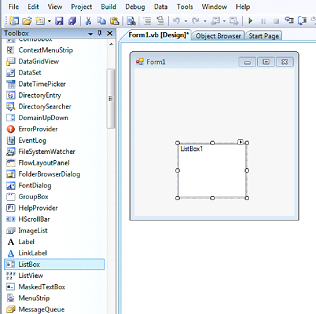
Lets Draw The Program as shown
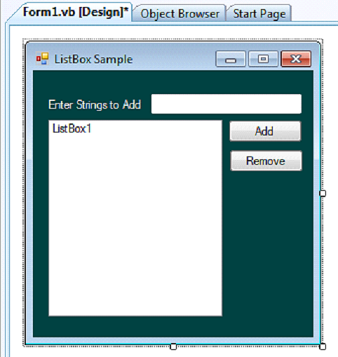

At Properties Window

Here we'll use the following Controls:

⦁ Form1

BackColor   0, 64, 64

StartPosition   CenterScreen

Button1

Text     Add

Button2

Text     Remove

Label1

Text     Enter Strings to Add

THE CODE

Option Explicit On

Public Class Form1

Private Sub Button1_Click(ByVal sender As System.Object, ByVal e As System.EventArgs) Handles Button1.Click

'Adds items to listbox and cleans before it posts

  ListBox1.Items.Add(TextBox1.Text.Trim())

End Sub

Private Sub Button2_Click(ByVal sender As System.Object, ByVal e As System.EventArgs) Handles Button2.Click

'uses the command RemoveAt(index)

  ListBox1.Items.RemoveAt(ListBox1.SelectedIndex)

End Sub

End Class
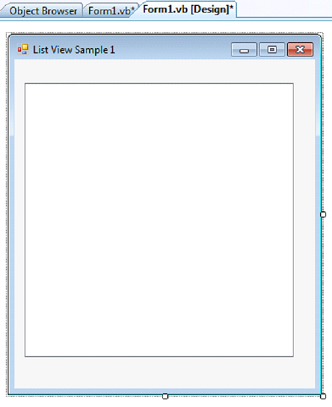
LISTVIEW AND IMAGELIST CONTROL

Listview Control is the iconized version of ListBox Control. Recommended for publishing applications.

THE CODE

Public Class Form1

Private Sub Form1_Load(ByVal sender As System.Object, ByVal e As System.EventArgs) Handles MyBase.Load

ListView1.Columns.Clear()

ListView1.Items.Clear()

ListView1.Columns.Add("NAME", 200)

ListView1.Items.Add("Lawrence Albert Pardo-Ilao")

ListView1.Items.Add("Riafe Oliveros-Trinidad")

ListView1.View = View.Details

End Sub

End Class

SAMPLE 2L

THE CODE

Public Class Form1

Private Sub Form1_Load(ByVal sender As System.Object, ByVal e As System.EventArgs) Handles MyBase.Load

  ListView1.Columns.Clear()

  ListView1.Items.Clear()

  ListView1.Columns.Add("ID", 80)

  ListView1.Columns.Add("NAME", 200)

  ListView1.Columns.Add("ADDRESS", 500)

  Dim itm As ListViewItem

  Dim arr(2) As String

  arr(0) = "8913674"

  arr(1) = "Lawrence Albert Pardo-Ilao"

  arr(2) = "L8 B1 Jolly Neighborhood Urban Poor Naga City"

  itm = New ListViewItem(arr)

  ListView1.Items.Add(itm)

  ListView1.View = View.Details

End Sub

End Class