VISUAL STUDIO .NET
Microsoft Visual Studio .NET is the comprehensive tool set for rapidly building Windows-based Applications and Web Solutions.
Windows Forms is the new platform for Microsoft Windows application development, based on the .NET Framework. This framework provides a clear, object-oriented, extensible set of classes that enables you to develop rich Windows applications.
The .NET Framework is a multi-language environment for building, deploying, and running XML Web services and applications. It consists of three main parts:
Common Language Runtime Despite its name, the runtime actually has a role in both a component's runtime and development time experiences. While the component is running, the runtime is responsible for managing memory allocation, starting up and stopping threads and processes, and enforcing security policy, as well as satisfying any dependencies that the component might have on other components.
Unified programming classes The framework provides developers with a unified, object-oriented, hierarchical, and extensible set of class libraries (APIs).
ASP.NET ASP.NET builds on the programming classes of the .NET Framework, providing a Web application model with a set of controls and infrastructure that make it simple to build ASP Web applications. ASP.NET includes a set of controls that encapsulate common HTML user interface elements, such as text boxes and drop-down menus. These controls run on the Web server, however, and push their user interface as HTML to the browser. On the server, the controls expose an object-oriented programming model that brings the richness of object-oriented programming to the Web developer.
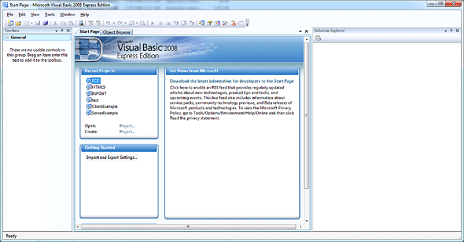
VISUAL STUDIO 2008 IDE
DOWNLOAD LINK
You need a program like 7-zip to extract the ISO file:
https://www.7-zip.org/download.html
Creating your First Windows Application
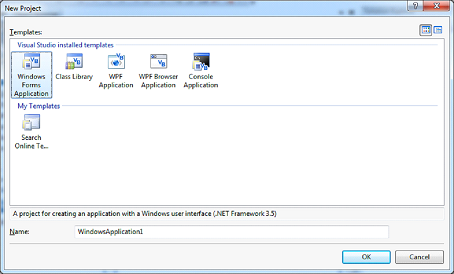
Click the Create Project link and you'll see the picture below: